YCK Incident Tracker
Interactive User Journey Guide
1. Safety Gate
Mandatory consent screen — "Your Safety Matters" — before accessing the form. PWA install prompt appears here and on any step of the incident tracker or Find Help experience.
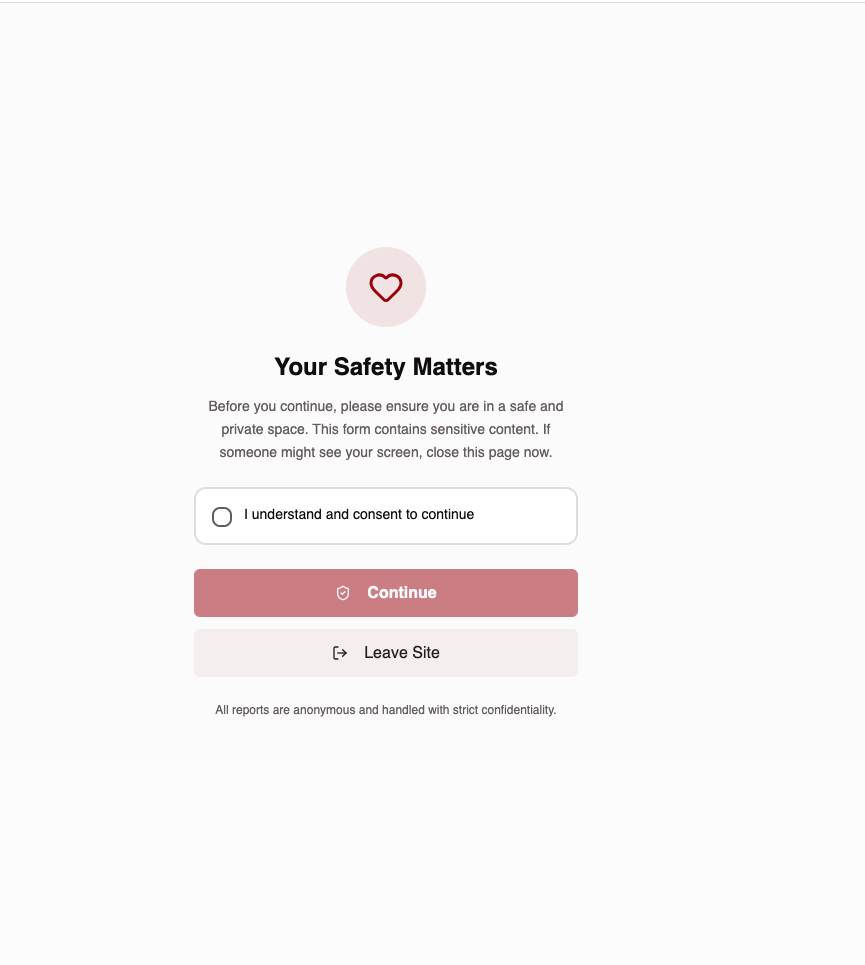
🔒 Trauma-Informed
Consent checkbox required. "Leave Site" button exits immediately for survivor safety.
2. Step 1 of 5 — Who is reporting?
Select reporter type: Self (Survivor), On Behalf of Survivor, or Volunteer. If volunteer, enter unique Volunteer ID (e.g. MARY-KM-001) to track reports to their profile.
👤 Reporter Identity
Three options: Self (survivor), On Behalf (relative/friend), Volunteer (field worker with unique ID). No account required.
3. Step 2 of 5 — Incident Type
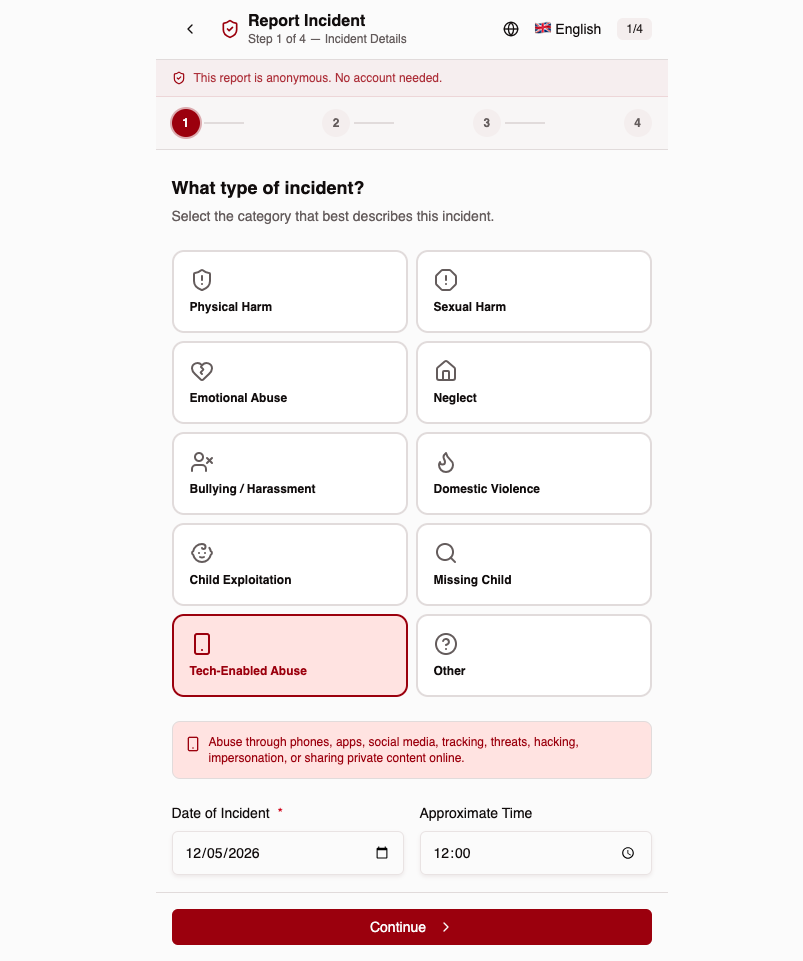
Tap-friendly icon grid with 10 incident categories. Date and time fields below.
📝 10 Categories
Physical, Sexual, Emotional, Neglect, Bullying, Domestic Violence, Child Exploitation, Missing Child, Tech-Enabled Abuse, Other.
4. Step 3 of 5 — Location & Description
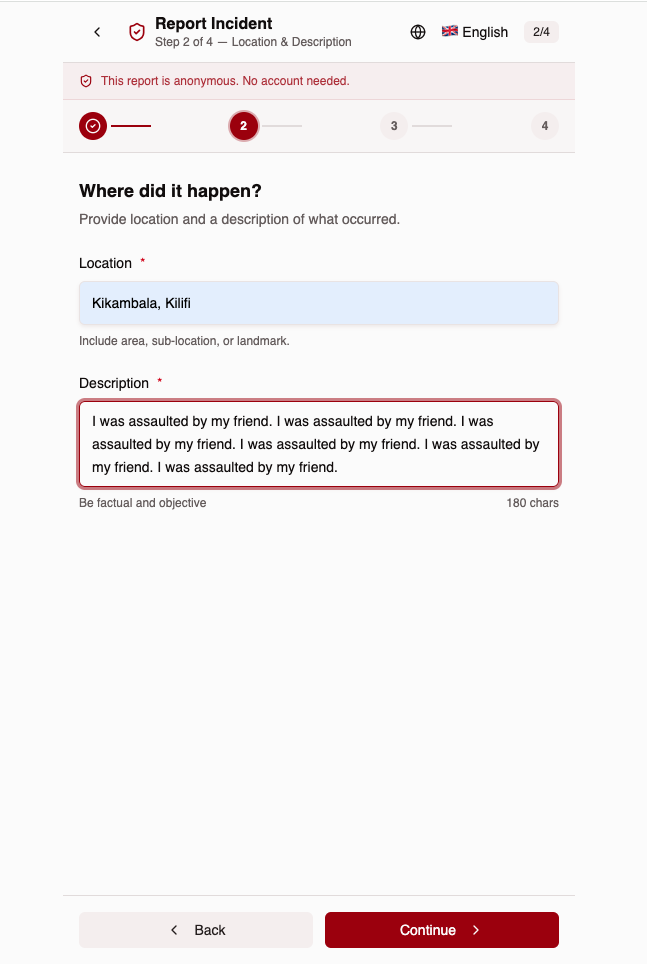
Where it happened and a factual description of the incident.
📍 No GPS Required
Free-text location — area, sub-location, or landmark. 180-char description limit.
5. Step 4 of 5 — Survivor Info
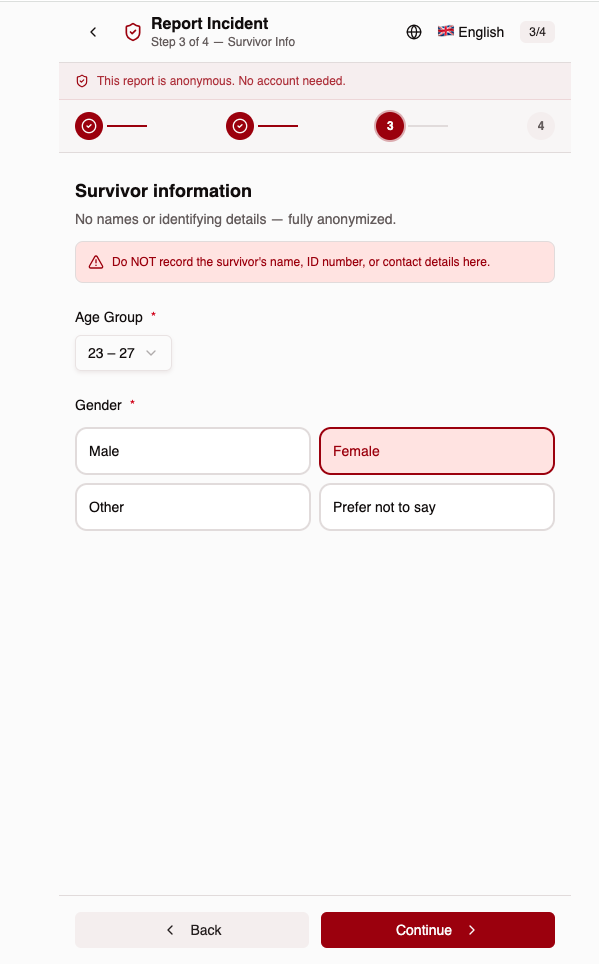
Age group and gender only — no names or identifying details collected.
🛡️ Fully Anonymized
Warning banner: "Do NOT record the survivor's name, ID number, or contact details."
6. Step 5 of 5 — Review & Submit
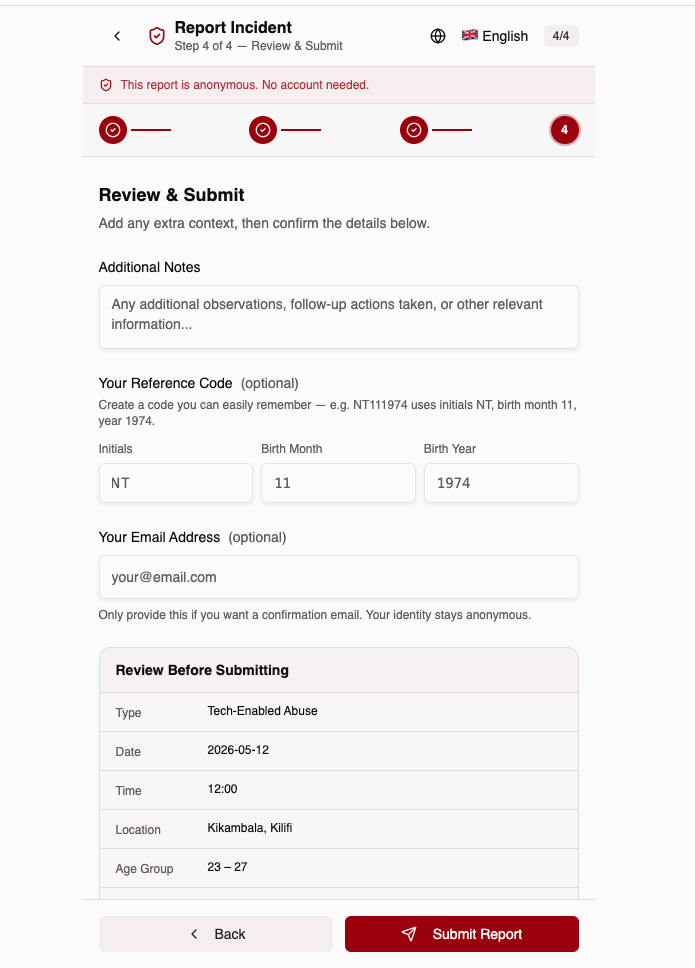
Summary of all entered details before final submission. Reporter type shown. Self/on-behalf reporters get optional reference code; volunteers see their Volunteer ID instead.
🔁 Reference Code or Volunteer ID
Self/on-behalf: initials + birth month + year (e.g. NT111974). Volunteer: unique Volunteer ID (e.g. MARY-KM-001) replaces the reference code.
7. Report Submitted
Confirmation screen with unique reference ID and next-steps guide.
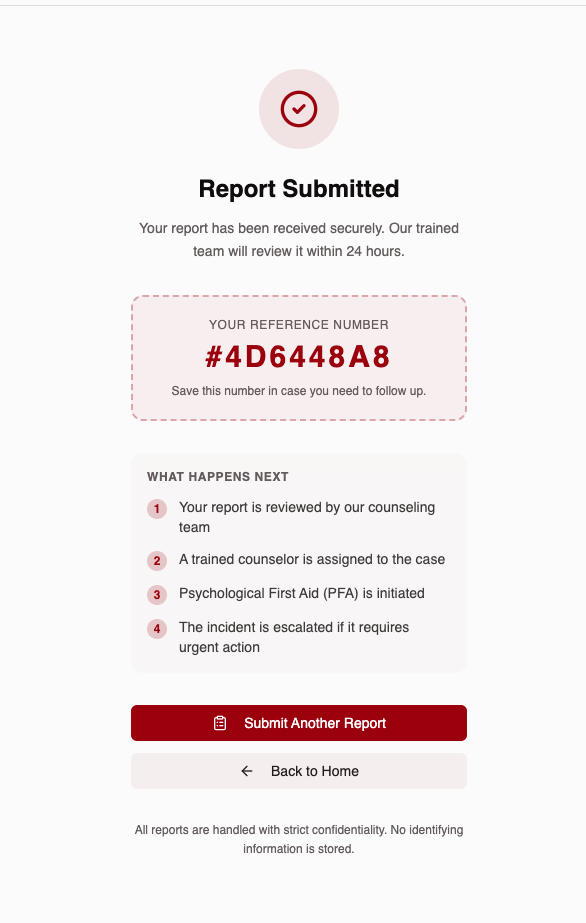
✅ What Happens Next
Review → Assign counselor → PFA initiated → Escalate if urgent. All within 24 hours.